
Choosing a Website Platform: How to Decide Between Squarespace, WordPress, Wix, Showit, and Shopify
The Platform Matters Less Than Most People Think
One of the most common questions I get is:
“Which website platform should I use?”
And honestly?
My answer is usually:
“It depends.”
I know that is not the exciting answer.
Most people want a definitive winner. A clear recommendation. A single platform that beats everything else.
But after building websites on WordPress, Shopify, Wix, and Squarespace over the years, I have learned something important:
There is not a universally “best” website platform. There is only the best platform for your business, your goals, and your level of technical comfort.
That is why I get a little nervous when I see people arguing online about which platform is superior.
Because they are usually comparing features.
Not businesses.
And that is the real mistake.
The best website platform is not the one with the most features. It is the one you will actually use.
Think about it this way.
Imagine someone asks:
“What is the best vehicle?”
That sounds like a simple question.
Until you realize we do not know whether they are:
- Hauling lumber
- Driving across the country
- Commuting to work
- Racing professionally
- Taking kids to soccer practice
The answer depends entirely on what they are trying to accomplish.
Websites are no different.
A platform that makes perfect sense for a large ecommerce company may be a terrible fit for a therapist.
A platform that is ideal for a photographer may create unnecessary complexity for a consultant.
A platform that is perfect for a developer may become overwhelming for a business owner who simply wants to update a services page.
The platform is not the strategy.
It is the tool.
And good tools are chosen based on the job.
Not popularity.
Not trends.
Not what someone on YouTube said was “the best.”
Before You Compare Platforms, Ask Yourself These Questions
Before you start researching website builders, spend a few minutes thinking about the way your business actually works.
What Type of Business Do You Have?
Are you selling services, products, memberships, courses, content, or a highly visual portfolio?
Who Will Manage the Website?
Will you update it yourself, publish blogs, change offers, and swap images, or will a developer handle everything?
How Comfortable Are You With Technology?
Be honest. Do you enjoy troubleshooting and integrations, or do you want something that works with minimal maintenance?
What Are Your Long-Term Goals?
Do you need advanced ecommerce and custom functionality, or a polished website with a blog, forms, and scheduling?
The Truth Most Platform Comparisons Miss
Most website platform comparison articles focus on features.
Feature lists.
Pricing tables.
Pros and cons.
While those things matter, they rarely address the most important question:
Which platform fits the way you actually want to run your business?
The most powerful platform in the world becomes a liability if it is too complicated to maintain.
And the simplest platform in the world becomes limiting if your business outgrows it.
The goal is not to find the platform with the longest feature list.
The goal is to find the platform that supports your business without becoming another job.
That is where the real comparison begins.
| Platform | Best For | Ease | Flexibility | Low Maintenance | Ecommerce | Scalability |
|---|---|---|---|---|---|---|
| Squarespace | Service businesses | |||||
| WordPress | Advanced custom websites | |||||
| Shopify | Ecommerce businesses | |||||
| Wix | DIY websites | |||||
| Showit | Creative and visual brands |
These ratings do not declare one platform universally better than another. They show the characteristics of each tool so you can choose the best fit for your business and the way you prefer to work.
WordPress
Best for: Businesses needing maximum flexibility and advanced custom functionality.
What You Will Love
- Extensive customization
- Complex functionality
- Large content libraries
- Custom integrations
- Strong scalability
What You Should Know
- Hosting and security require attention
- Plugin and theme updates matter
- Compatibility issues can happen
- Maintenance is more involved
- The learning curve can be steep
WordPress: The Powerhouse
If you have spent any amount of time researching websites, you have probably heard someone say:
“You should use WordPress.”
There are a lot of good reasons people recommend it.
WordPress is incredibly flexible, extremely customizable, and capable of doing almost anything you can imagine.
As someone who has built websites on WordPress, I completely understand the appeal.
What WordPress Does Well
WordPress shines when you need extensive customization, complex functionality, a large content library, custom integrations, advanced ecommerce, or a unique user experience.
If you are willing to invest the time, resources, or expertise, WordPress can become almost anything.
That is its superpower.
The Tradeoff
The thing many WordPress enthusiasts forget to mention is that flexibility comes with responsibility.
With WordPress, you are often managing:
- Hosting
- Security
- Plugin updates
- Theme updates
- Compatibility issues
- Backups
- Performance optimization
None of these things are necessarily difficult.
But they are things.
And those things require attention.
WordPress gives you more control. More control often means more responsibility.
Who WordPress Is Great For
WordPress can be a fantastic choice if:
- You enjoy technology
- You have a developer
- You need custom functionality
- You run a large content site
- You have complex business requirements
Who WordPress Can Frustrate
WordPress can become overwhelming when someone simply wants to update a service, publish a blog post, add a testimonial, change a photo, or update a phone number without thinking about plugins, hosting, or maintenance.
This is not a criticism.
It is simply the reality of the platform.
The very thing that makes WordPress powerful is also what makes it more demanding.
My Take on WordPress
I still like WordPress.
I still use WordPress.
I still recommend WordPress in certain situations.
But I do not recommend it automatically.
The best platform is not the one with the most possibilities. It is the one that aligns with the way someone actually wants to run their business.
Shopify
Best for: Businesses whose revenue depends primarily on selling products online.
What You Will Love
- Excellent inventory management
- Strong product catalogs
- Order fulfillment tools
- Shipping support
- Optimized ecommerce checkout
What You Should Know
- Built primarily for products
- Can be excessive for service businesses
- Content-first sites may feel secondary
- Some capabilities require apps
Shopify: Built to Sell Products
If WordPress is the powerhouse, Shopify is the specialist.
Shopify was built for one primary purpose:
Selling products online.
And it does that exceptionally well.
What Shopify Does Well
Shopify excels at:
- Inventory management
- Product catalogs
- Order fulfillment
- Shipping
- Ecommerce automation
- Checkout optimization
If your business revolves around selling products, Shopify deserves serious consideration.
Where Shopify Gets Tricky
The challenge comes when people try to force Shopify into jobs it was not primarily designed for.
A consultant, therapist, photographer, speaker, personal trainer, or coach can absolutely use Shopify.
But they may be paying for capabilities they rarely need.
The Question I Usually Ask
What percentage of your revenue comes from products?
If the answer is “almost all of it,” Shopify becomes very compelling.
If the answer is “almost none of it,” we should probably keep looking.
Wix
Best for: New businesses and DIY website owners who want accessible creative freedom.
What You Will Love
- Easy to get started
- Relatively affordable
- Flexible page building
- No coding required
- Good entry point for DIY owners
What You Should Know
- Freedom can create inconsistency
- Pages can become visually cluttered
- Scaling can become awkward
- Too many choices create decision fatigue
Wix: Better Than Most People Think
If you had asked me about Wix ten years ago, my answer probably would have been very different.
Wix has come a long way.
And I think it deserves more credit than it sometimes gets.
For many small business owners, Wix provides an accessible entry point into website ownership.
It is easy to get started, relatively affordable, and flexible without requiring technical expertise.
What Wix Does Well
Wix is often a good fit for:
- New businesses
- Solopreneurs
- Small local businesses
- DIY website owners
- Businesses with simple website needs
Where Wix Can Become Challenging
The same flexibility that makes Wix appealing can sometimes create problems later.
Because when everything can go anywhere, everything often does.
Over time, websites can become:
- Inconsistent
- Difficult to maintain
- Visually cluttered
- Harder to scale
More freedom is not always better. Sometimes structure creates better outcomes.
This is not necessarily a platform problem.
It is a decision-making problem.
And most business owners already have enough decisions to make.
That is one reason I often prefer platforms with stronger design frameworks.
Not because creativity is bad.
Because guardrails are helpful.
My Take on Wix
Wix is not the disaster some people make it out to be.
Far from it.
For the right business, it can be a perfectly reasonable choice.
But when clients ask me which platform creates the best balance between simplicity, professionalism, scalability, and ease of use, I usually find myself looking elsewhere.
Showit
Best for: Photographers, creative entrepreneurs, and brands where visual storytelling is central.
What You Will Love
- Exceptional visual freedom
- Highly customized layouts
- Strong creative storytelling
- Excellent for portfolios
What You Should Know
- More operational complexity
- More design decisions
- May require multiple systems
- Not ideal for every service business
Showit: Beautiful but Specific
Showit is one of those platforms people absolutely love once they find it.
Especially photographers, creative entrepreneurs, personal brands, and design-focused businesses.
And honestly?
I understand why.
Showit allows for an incredible amount of creative freedom.
What Showit Does Well
Showit shines when visual storytelling is the priority.
It is fantastic for:
- Photographers
- Designers
- Creatives
- Personal brands
- Highly visual businesses
If your website experience relies heavily on custom layouts and artistic presentation, Showit can create stunning results.
The Tradeoff
The tradeoff is complexity.
Not necessarily technical complexity.
Operational complexity.
More systems. More decisions. More things to manage.
Think About It This Way
Imagine two businesses.
A wedding photographer.
A business consultant.
The photographer may benefit tremendously from a highly customized visual experience.
The consultant probably does not need that level of design freedom.
The consultant's success is more likely to come from clear messaging, strong positioning, strategic calls-to-action, and trust-building content.
Visitors do not hire you because your website has the coolest animation. They hire you because they understand what you do, trust your expertise, and feel confident taking the next step.
Squarespace
Best for: Service-based businesses that want a strong balance of capability, simplicity, and maintainability.
What You Will Love
- Professional design system
- Low ongoing maintenance
- Built-in blogging and forms
- Scheduling and email tools
- Strong power-to-complexity ratio
What You Should Know
- Less custom than WordPress
- Not as specialized as Shopify
- Some advanced functionality needs workarounds
- Not built for every complex use case
Why Squarespace Is My Recommendation for Most Service-Based Businesses
At this point, you may have noticed something.
I have not declared a winner.
That is intentional.
There is not a single platform that is perfect for everyone.
But when a service-based business owner asks me, “Where should I start?” my answer is usually:
Squarespace.
Not because Squarespace is the most powerful platform.
Not because it is the most customizable.
Not because it can do everything.
Because for most service-based businesses, it strikes an incredible balance between capability and simplicity.
The best platform is not the one with the most features. It is the one you will still be confidently using a year from now.
Most business owners do not wake up excited to manage a website.
They want to serve clients.
Run their business.
Create content.
Generate leads.
Make sales.
The website is important.
But it is a tool.
Not the business itself.
And that is where Squarespace shines.
The platform gets out of the way.
Squarespace Solves Most of What Most Businesses Need
Think about the average service-based business.
Maybe they are a coach, consultant, therapist, photographer, music teacher, speaker, personal trainer, designer, or creative professional.
What do they actually need?
- A professional website
- A blog
- Contact forms
- Scheduling
- Email collection
- SEO tools
- Analytics
- Occasional ecommerce
- Maybe memberships or gated content
Squarespace handles all of those things remarkably well.
And it does it inside a single ecosystem.
The Hidden Cost of “Best-in-Class”
One of the biggest mistakes I see business owners make is trying to build the ultimate tech stack.
They hear things like:
- Use this tool for forms.
- Use this one for email marketing.
- Use this one for scheduling.
- Use this one for automation.
- Connect everything with Zapier.
Before long, they have:
- Six subscriptions
- Three automations
- Multiple integrations
- A growing list of monthly expenses
And they have not actually improved the client experience.
They have simply increased complexity.
There are businesses where specialized tools make perfect sense. Large teams, complex workflows, and advanced systems often benefit from them.
But many service-based businesses do not need that level of complexity.
Think About It Like a Toolbox
Imagine someone hands you a toolbox filled with:
- 200 specialized tools
- 17 instruction manuals
- Multiple adapters
- Three batteries
- Four charging stations
Impressive?
Absolutely.
Necessary?
Maybe not.
Especially if you are hanging a picture frame.
Most business owners do not need the largest toolbox.
They need the right toolbox.
Why I Think Squarespace Ages Well
Choosing a website platform is not just about launch day.
It is about year two.
Year three.
Year five.
What happens when you need to:
- Add a service
- Update your pricing
- Publish a blog
- Change a photo
- Create a landing page
- Update your bio
Can you confidently do it yourself?
That is where platform decisions really matter.
The platform that felt exciting during setup is not always the platform that is easiest to maintain.
And maintenance is where websites spend most of their lives.
Where Squarespace Really Wins
Squarespace has one of the highest power-to-complexity ratios available for service-based businesses.
You get a tremendous amount of functionality without a tremendous amount of complexity.
That does not mean it is perfect.
It means it is practical.
And practical often beats powerful.
If I am working with a therapist, coach, consultant, photographer, music teacher, speaker, or another service-based business, I am usually recommending Squarespace first.
Not because it is perfect.
Because it is practical.
The Platform Is Not the Strategy
After everything we have discussed, I want to make something very clear.
The platform matters.
But probably not as much as you think.
I have seen successful businesses built on:
- WordPress
- Shopify
- Wix
- Showit
- Squarespace
I have also seen unsuccessful businesses built on every one of those platforms.
The difference was not the technology.
The difference was the strategy.
A great platform cannot fix an unclear message.
The Technology Behind the Website
- Whether you used Squarespace
- Whether you used WordPress
- Whether you used Shopify
- Which template you selected
- How many plugins are installed
The Experience the Website Creates
- Do I understand what this business does?
- Can they help me?
- Do I trust them?
- What makes them different?
- What should I do next?
The Website Is the Container
Imagine two businesses.
Both use Squarespace.
One website clearly communicates:
- Who they help
- What they do
- Why it matters
- How to get started
The other website is vague, confusing, unclear, and difficult to navigate.
Which one performs better?
The answer has nothing to do with Squarespace.
Now imagine the same exercise with WordPress, Shopify, Wix, or Showit.
The outcome is the same.
Technology is not what creates clarity.
People do.
This Is Why So Many Website Projects Stall
Most business owners assume they are stuck because they have not found the right platform.
But they are often stuck because they have not answered questions like:
- Who is this website for?
- What transformation do I provide?
- What should my homepage communicate?
- What objections need to be addressed?
- What action do I want visitors to take?
Those questions do not disappear when you choose a platform.
In fact, the platform usually exposes them.
That is why so many website projects reach a point where everything suddenly grinds to a halt.
The design is there.
The pages are there.
The structure is there.
And then the blinking cursor appears.
What Should I Write?
That is the question most website owners eventually face.
Your platform is the container.
Your messaging is the foundation.
Because the container cannot tell you what belongs inside it.
The Businesses That Win Understand This
The strongest websites I have worked on all had one thing in common.
Clarity.
Not perfect design.
Not the latest trends.
Not expensive technology.
Clarity.
The owner knew:
- Who they served
- What they offered
- Why people should care
- What action visitors should take
Everything else became easier after that.
The homepage.
The imagery.
The service pages.
The calls-to-action.
Even the platform selection.
A Better Question to Ask
Instead of asking:
“What is the best website platform?”
Try asking:
“What does my audience need to understand before they are ready to work with me?”
That question will improve your website more than any platform comparison ever could.
The platform matters. But the message matters more.
Choose the platform that fits your business.
Choose the platform you will actually use.
Choose the platform that supports your goals.
Then focus your energy on the thing visitors actually experience: the message.
Because that is what builds trust, creates connection, and turns visitors into clients.
Final Thoughts
If you have made it this far, you may be disappointed that I never declared a single platform the winner.
But honestly?
That is because there is not one.
WordPress is fantastic for some businesses.
Shopify is incredible for others.
Showit creates beautiful websites.
Wix has improved dramatically over the years.
And Squarespace remains my recommendation for many service-based business owners because it offers an excellent balance of simplicity, functionality, and ease of use.
But none of those platforms can answer the most important questions.
They cannot tell you:
- What your homepage should say
- What objections need to be addressed
- What makes your business different
- Why someone should choose you
- What action visitors should take next
Those answers come from strategy.
They come from messaging.
They come from clarity.
The strongest websites do not begin with technology. They begin with understanding.
Before You Build the Website, Build the Message
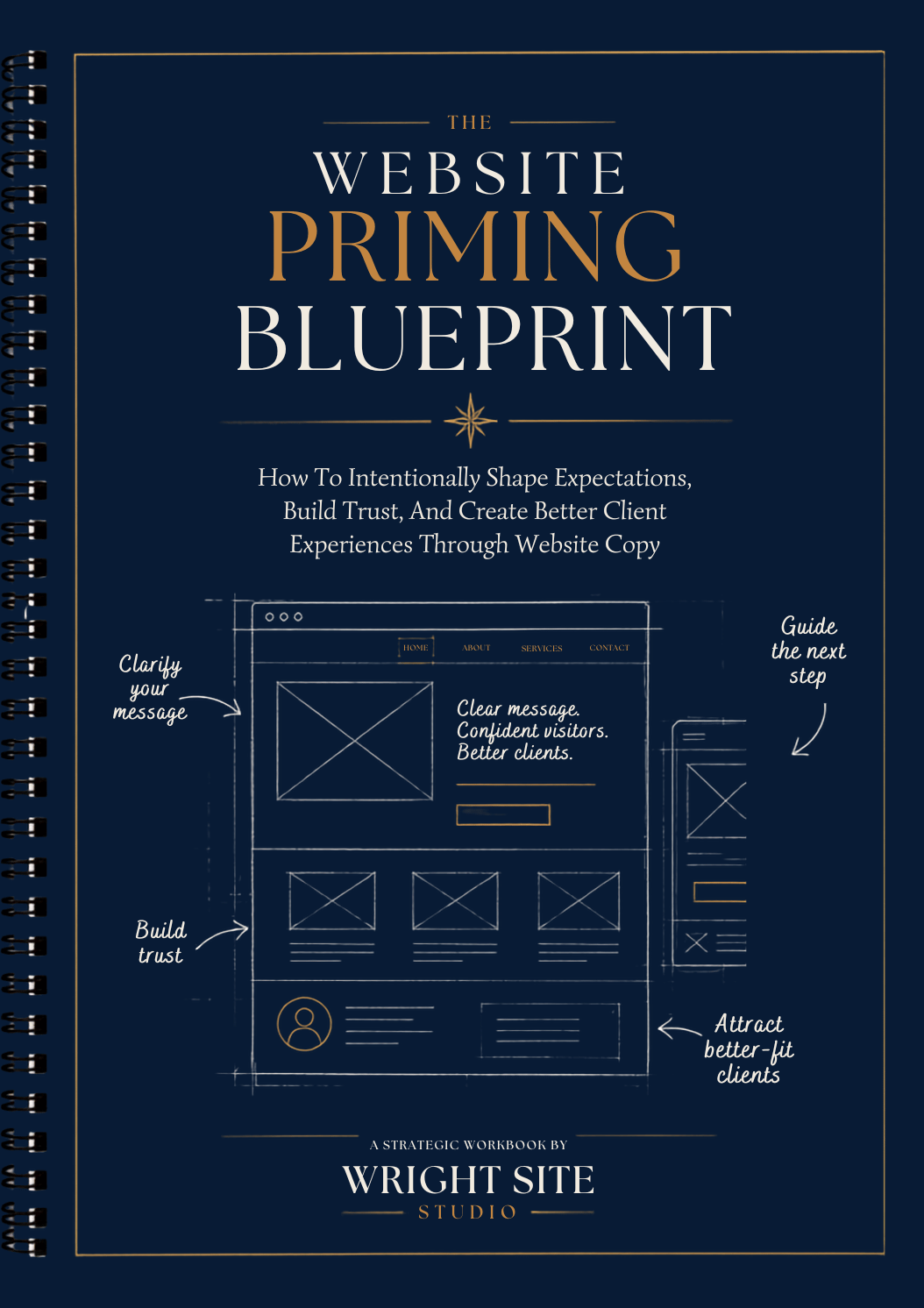
The Website Messaging Kit gives you the strategic blueprints you need to write clear homepage, service, about, contact, and call-to-action copy before you start designing.
Explore the Website Messaging Blueprint Kit